













Start inviting your friends now!
Three steps to easily obtain rebates. smartproxy affiliate program
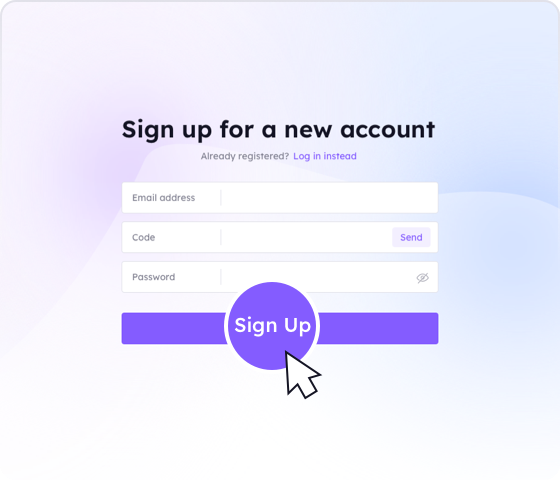 1.Create your Account
Register and log in to SmartProxy and enter the dashboard.

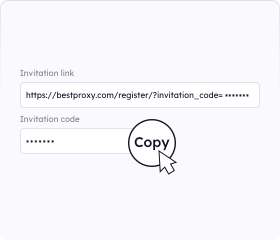 2.Post and share the link
Copy your invitation link or invitation code to share with your friends.
 3. Get Paid
You will receive 20% commission for every residential proxy order
Why should you join our Affiliate Program?
Refer others to SmartProxy and earn 20% commission to fund your next purchase.. smartproxy affiliate program
Join Our Affiliate Program
Earn money for every Dynamic Residential Personal Plan payment made by someone you refer. Recommend SmartProxy on forums, chat rooms, and share with your friends.. smartproxy affiliate program

20% lifetime earnings
Our referral program never limits your earnings and has no expiration date. Enjoy a 20% commission for as long as your referrals use our services!


High Quality Proxy Supplier
At SmartProxy, we prioritize quality and client satisfaction. Our proxy is one of the fastest on the market and comes with many advanced features.. smartproxy affiliate program
Simple way to invite
You can start earning rewards within minutes of receiving your referral link. The more people you refer, the higher your commission.

 Trusted by Users
What Our Customers Are Saying
SmartProxy for businesses and individuals, delivering stable, secure, and highly customizable Smart Proxy and smart-proxy services.

Switching to SmartProxy API links was the best decision! The speed boost is noticeable, and the reliability is top-notch. SmartProxy Keep up the great work!

Morris Monahan
Long users
Wow, the new SmartProxy's API-based service is incredibly fast! It feels more responsive than ever. Great job on the upgrade.

Lucas Heller
Long users
I've been using your Smartproxy service for a while, and the switch to API links has made everything so much smoother. Fantastic improvement!

Clara Becker
Long users
I’m impressed by how reliable the service has become since moving to API links. Using SmartProxy service, no downtime and everything works seamlessly!

Ellie Vaughan
Long users
The new SmartProxy's API infrastructure is a game changer. It’s fast, efficient, and much more reliable than the old proxy system. Kudos to the team!

Samuel Cormier
Long users
This upgrade has really made a difference. The API integration is flawless, and I haven’t had a single issue since the switch. Well done!

Amelia Granger
Long users
The speed boost from the API transition is amazing. Tasks that used to take forever now complete in seconds. Huge improvement!

Nathan McKnight
Long users
The service is now super reliable after moving to API links. I haven't encountered any problems, and the response time is incredible.

Olivia Townsend
Long users
I’m really enjoying the SmartProxy new API service. It’s faster and more consistent, especially compared to the old proxy setup. Great job!

Henry Hutchinson
Long users
I can definitely see the improvements after switching to SmartProxy API links. The service feels more robust and faster across the board!

Sophia Adler
Long users
Help Center
Proxy Knowledge Guide
What can I find here?
Provides you with everything you need to get started with our proxy
Support
If you can't find something or need assistance, please contact us at support@smartproxy.ai
- Got Questions?
- How is billing calculated?


You pay per successful request; failed requests after all retries are not charged.
- What are the rate limits?
Starter plans allow 10 requests/s; higher tiers go up to 50 requests/s. Exceeding limits returns HTTP 429.
- How do you bypass CAPTCHAs and bot checks?
The API rotates residential IPs, injects realistic headers, manages cookies, and auto-solves common CAPTCHAs before returning HTML or JSON.
- Which languages are supported?
ou can call it from any language that can issue HTTPS requests; we provide SDKs for Python, Node.js, and Go.
- What is the Web Scraper API?
It’s a REST endpoint that fetches a web page for you, handling proxies, rotation, CAPTCHA solving, and retries automatically.
- Are these IPs exclusive?
Yes—each IP is dedicated in our pool.



English

Due to policy, this service is not available in mainland China. Thank you for your understanding!
